Should Your Church Claim a Google Business Profile? The Complete Guide to Better Visibility, SEO, and Community Reach
If someone in your community searches for:
- “churches near me”
- “churches in Cedar Falls”
- “Sunday church services near me”
- “Christian churches open now”
- “churches with livestreams”
will your church show up?
If the answer is “I’m not sure,” your church may be missing one of the most powerful—and completely free—local outreach tools available today: a Google Business Profile.
Many churches invest thousands of dollars in websites, social media, signage, and advertising while overlooking a tool that directly impacts how easily people can find them online. A properly claimed and optimized Google Business Profile can dramatically improve your church’s visibility in local search results and help first-time visitors find the information they need quickly.
The good news? Setting it up is easier than most church leaders think.
What Is a Google Business Profile?
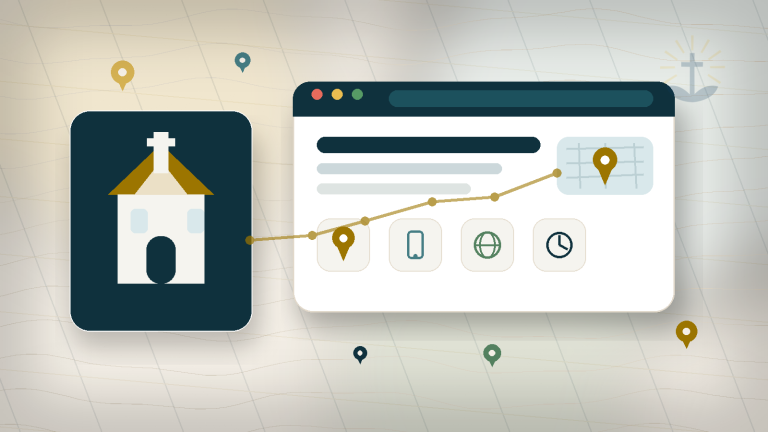
A Google Business Profile (formerly Google My Business) is the information box that appears when someone searches for a church on Google or Google Maps.
It typically displays:
- Church name
- Address
- Phone number
- Website
- Service times
- Office hours
- Photos
- Reviews
- Directions
- Livestream links
- Questions and answers
It’s often the very first thing a potential visitor sees when researching your church.
In many cases, people never visit your website first—they interact with your Google listing instead.
Why Every Church Should Claim Its Google Business Profile
1. It Improves Local Search Visibility
When people search for churches in your area, Google prioritizes local results.
A properly optimized profile helps your church appear in:
- Google Maps
- “Near Me” searches
- Local church searches
- Mobile search results
- Voice searches through Google Assistant
Without a claimed profile, Google may display incomplete or inaccurate information—or worse, prioritize other churches that have optimized their profiles.
2. It Helps New Visitors Find You
Imagine a family deciding where to attend church this Sunday.
They search:
“Churches near me.”
Several listings appear.
Which church are they most likely to visit?
Usually the one that has:
- Accurate service times
- Current photos
- Working website links
- Correct phone numbers
- Updated information
People are busy. If they have to work hard to find basic information, many simply move on.
3. It Strengthens Your Church’s SEO
One of the biggest benefits of a Google Business Profile is its impact on local SEO.
Google uses consistency across the internet to determine whether an organization is trustworthy.
Your church’s:
- Name
- Address
- Phone number
- Website
should match exactly across:
- Your website
- Google Business Profile
- Facebook page
- Church directories
- Denominational websites
- Online listings
This consistency improves your chances of ranking higher in local search results.
4. It Builds Credibility and Trust
A complete profile communicates that your church is active, organized, and engaged.
Visitors often look for:
- Current photos
- Recent updates
- Reviews
- Directions
- Contact information
An incomplete profile can make a church appear inactive even when it’s thriving.
How to Claim Your Church’s Google Business Profile
Step 1: Search for Your Church
Go to Google and search your church’s name.
You may discover:
- A profile already exists
- Someone previously created it
- Google automatically generated one
If you see a listing, look for:
“Own this business?”
or
“Claim this business.”
Click the link to begin verification.
Step 2: Create or Sign In to a Google Account
Ideally, use:
- A church-owned Gmail account
- A communications account
- An administrative email
Avoid using a personal account belonging to a volunteer or staff member whenever possible.
Step 3: Verify Ownership
Google may verify through:
- Phone
- Video verification
- Postcard mailed to your address
Once verified, you’ll have full control of the listing.
What Information Should Every Church Include?
Many churches stop after entering their address and phone number.
That’s a mistake.
The more complete your profile, the better it performs.
Church Name
Use your official church name consistently.
Good:
Grace Community Church
Avoid:
Grace Community Church Official Main Campus Cedar Falls
Keep it simple and accurate.
Website Address
Always link directly to your primary website.
Double-check that:
- The link works
- It uses HTTPS
- It loads properly on mobile devices
Broken links create frustration and hurt trust.
Church Email Address
While Google doesn’t always publicly display email addresses, make sure the contact information associated with your account is current.
Use:
- info@
- office@
- hello@
- connect@
rather than personal staff email addresses whenever possible.
Phone Number
Use your primary church office number.
Verify:
- It rings correctly
- Voicemail works
- Greeting is professional
- Staff regularly check messages
Nothing undermines trust faster than a disconnected number.
Service Times Matter More Than You Think
One of the most common mistakes churches make is failing to update service times.
People often search:
- Sunday service times
- Christmas Eve services
- Easter services
- Midweek gatherings
If service times are inaccurate, visitors may show up at the wrong time—or not at all.
Always keep:
- Sunday worship times
- Midweek services
- Bible studies
- Special events
updated throughout the year.
Office Hours vs. Worship Hours
Google allows you to list business hours.
For churches, this should usually reflect:
Office Hours
- Monday–Thursday: 9 AM–4 PM
- Friday: 9 AM–Noon
You can then use posts, descriptions, and updates to communicate worship schedules separately.
Many churches mistakenly list worship times as office hours, which can confuse visitors.
Add High-Quality Photos
Photos are one of the most overlooked parts of a Google Business Profile.
Include:
- Exterior building photos
- Sanctuary photos
- Worship services
- Children’s ministry spaces
- Fellowship events
- Staff photos
- Community outreach
Avoid stock photography.
Authentic photos perform significantly better because they help people imagine themselves attending.
Encourage Reviews
Reviews matter—even for churches.
Positive reviews help people understand:
- What the culture feels like
- Whether families feel welcomed
- What visitors can expect
Never pressure people for reviews, but consider occasionally inviting members to share honest feedback.
Post Updates Regularly
Google allows churches to publish updates directly on their profile.
Share:
- Sermon series
- Community events
- Holiday services
- Outreach opportunities
- Livestream links
Regular updates signal that your church is active and engaged.
How Service Ministries Can Help
At Service Ministries, we help churches improve their online visibility through:
- Google Business Profile setup
- Local SEO optimization
- Website audits
- Church photography
- Branding and communications
- Website design and development
Many churches already have a Google profile—they simply haven’t optimized it to help people find them.
We can help ensure your digital front door is as welcoming as your physical one.
Final Thoughts
Your Google Business Profile may be the most important local outreach tool your church isn’t fully using.
It’s free, powerful, and often the first place potential visitors encounter your ministry.
When your church’s:
- website
- phone number
- office hours
- service times
- photos
are accurate and up to date, you remove barriers that might otherwise keep someone from taking their next step toward community and faith.
In today’s world, helping people find your church online is part of helping them find your church in person.